Your Work Chair Is Probably Too High
Many desk workers position their chairs too high relative to their desk, leading to a cascade of subtle postural issues that contribute to discomfort and long-term physical strain.
Work Survival Club · 26 August 2026 · 3 min · Original reporting
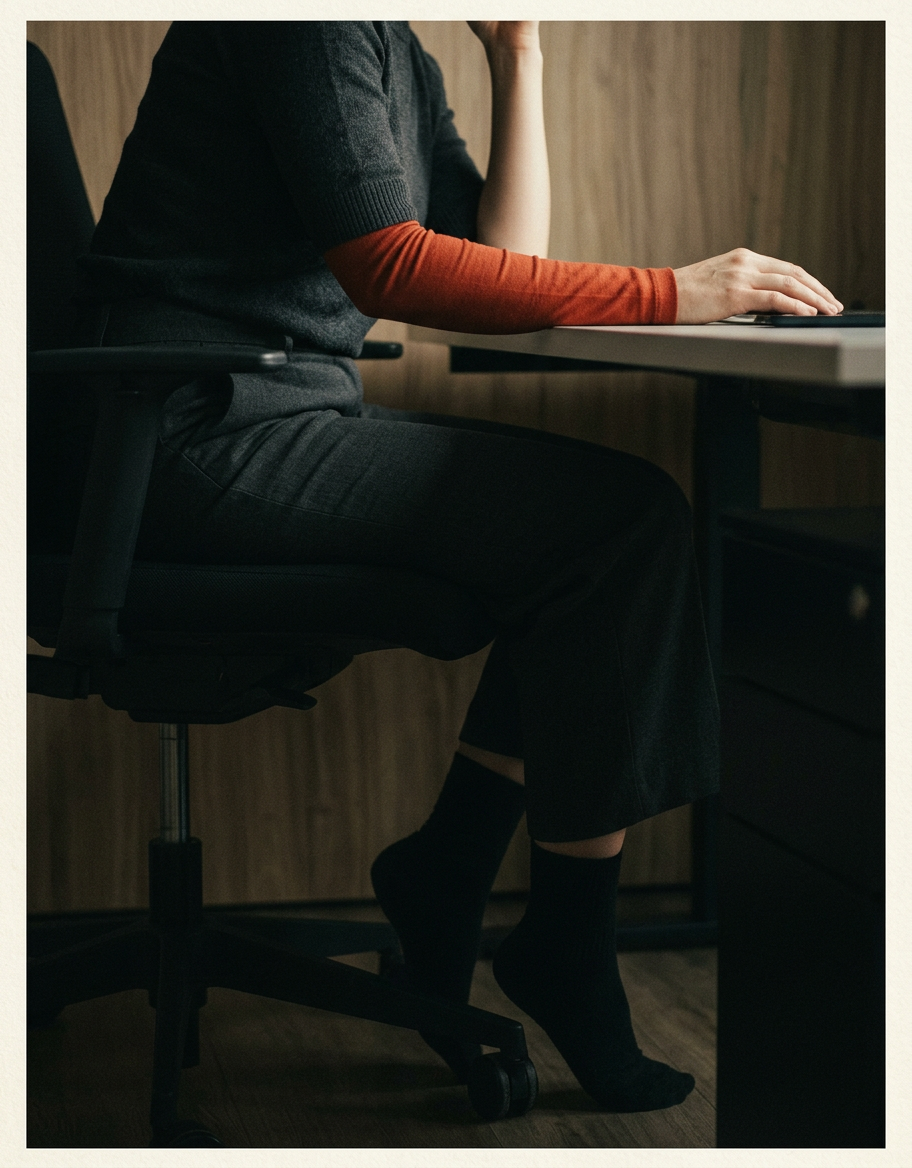
The modern desk worker spends a significant portion of their day seated. While much attention is rightly given to the quality of the chair itself, less focus is sometimes placed on its correct adjustment within the overall workstation. A common and often overlooked issue is simply having the chair set too high for the desk, or for the user's specific biomechanics.
This seemingly minor adjustment can initiate a chain reaction, forcing the body into suboptimal positions that, over hours and days, contribute to chronic discomfort rather than alleviating it. The body is an integrated system, and altering one element can have widespread consequences.
The Cascade Effect of a High Chair
When a chair is too high, several things typically happen. Firstly, the feet may no longer be flat on the floor or adequately supported, leading to increased pressure on the backs of the thighs and potential circulation issues. This can also encourage a forward pelvic tilt or slumping as the body tries to find stability. Secondly, to compensate for the elevated sitting position and maintain arm height at the desk, shoulders may become elevated and held in an unnaturally tensed position. This often contributes to discomfort in the neck and upper back.
The body is acutely sensitive to sustained deviations from neutral postures; even slight elevation of the shoulders over many hours can accumulate into significant muscle tension.
Impact on the Shoulders and Neck
Sustained shoulder elevation, or 'shrugging', is a common compensatory posture when the chair is too high relative to the desk or keyboard. This chronic muscle activation in the trapezius and levator scapulae muscles can lead to muscle fatigue, stiffness, and pain in the neck and shoulders. Research indicates a clear link between prolonged static postures and musculoskeletal disorders in these regions, with workstation setup being a significant contributing factor [1].
Pressure Points and Circulation
Without proper foot support, the weight of the legs can pull the pelvis out of alignment. Furthermore, the edges of the chair seat can press into the underside of the thighs, potentially compressing blood vessels and nerves. This can impede circulation to the lower limbs, contributing to feelings of numbness or discomfort, and is a frequently cited issue in ergonomic assessments [2].
Finding the Optimal Height
The goal of ergonomic setup is to achieve neutral postures, which minimise stress on the joints and muscles. For chair height, this means ensuring that feet are flat on the floor or a footrest, and that hips are slightly higher than or level with the knees. The arms should be able to rest comfortably at the sides, with elbows bent at approximately a 90-degree angle when typing, without elevating the shoulders.
- Lower your chair: Start by lowering your chair until your feet are flat on the floor and your knees are at roughly a 90-degree angle, or slightly lower than your hips.
- Adjust desk/keyboard: If your desk is now too high, consider whether it can be lowered. If not, a keyboard tray might be necessary to bring your input devices to a comfortable height without raising your shoulders.
- Monitor position: Ensure your monitor is at arm's length and the top of the screen is at or slightly below eye level. This may require raising the monitor on a stand, rather than raising your chair.
- Footrest consideration: If your feet do not rest flat on the floor after adjusting your chair for proper arm height, use a footrest. This supports the lower limbs and helps maintain good pelvic posture.
Small adjustments can yield significant improvements. Prioritising neutral postures throughout the workday is a foundational step in mitigating the physical costs of prolonged desk work.
Sources
- Working safely with display screen equipment (opens in a new tab) — Practical guidance from the UK Health and Safety Executive on setting up display screen equipment workstations to prevent discomfort and injury.
General information about work and health, not medical advice. See our medical disclaimer.