Laptop Stands Are Not Just Stands
A laptop stand can improve ergonomics by elevating your screen to eye level, but the materials, stability, and adjustability determine its true value and long-term benefit for desk workers.
Work Survival Club · 2 September 2026 · 3 min · Original reporting
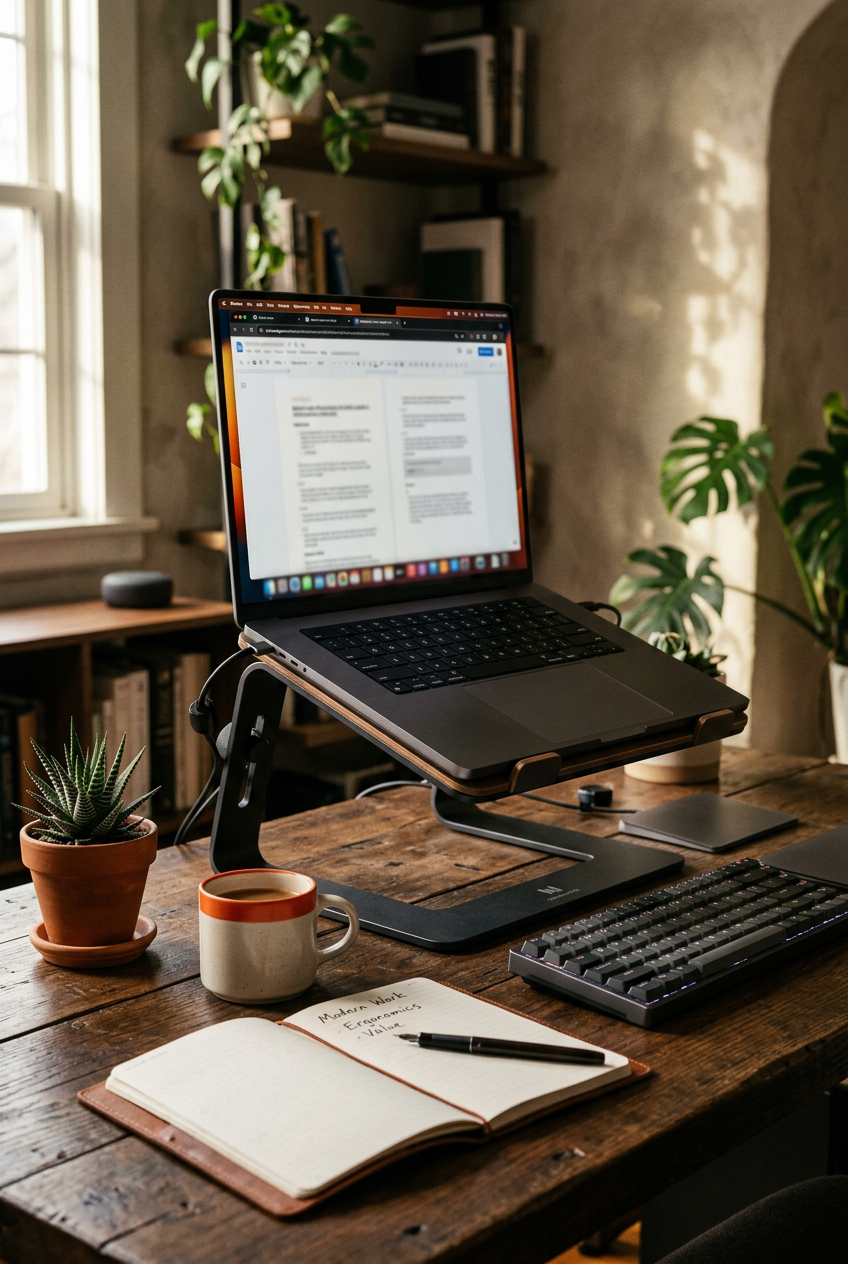
For many desk workers, the laptop has become the primary, if not sole, workstation. Its portability is a clear advantage, enabling work from various locations. However, this convenience often comes at an ergonomic cost: a screen that sits too low, forcing the user to hunch forward or crane their neck downwards. The market is saturated with devices designed to address this, from simple plastic risers to elaborate adjustable arms.
A laptop stand's fundamental purpose is to elevate the screen, aiming to bring the top of the display to eye level. This adjustment encourages a more neutral head and neck posture, which is crucial for mitigating the stresses associated with prolonged computer use. Yet, the effectiveness of these devices varies significantly, and not all stands are created equal.
Why Elevation Matters
The human head weighs approximately 4.5 to 5 kilograms. When held in a neutral position, the strain on the cervical spine is minimal. However, for every 15 degrees the head is tilted forward, the effective weight on the neck can double. Looking down at a laptop screen, even slightly, increases this load, contributing to neck pain, shoulder tension, and headaches over time. A 2014 study published in Surgical Technology International illustrated this effect, quantifying the increased stress on the spine at various degrees of forward head flexion.
A laptop stand, by raising the screen, helps maintain a more upright posture, allowing the eyes to meet the display without excessive downward gaze. This simple change can significantly reduce the cumulative strain on the neck and upper back.
For every 15 degrees the head is tilted forward, the effective weight on the neck can double, contributing to neck pain, shoulder tension, and headaches.
Evaluating Stand Features
Beyond simple elevation, several characteristics differentiate a beneficial laptop stand from a mere prop. The cheapest models may offer some height, but often at the expense of stability or adjustability.
- Adjustability: The ability to adjust both height and angle is paramount. Optimal screen height varies by individual and chair setup, requiring flexibility.
- Stability: A wobbly stand can be distracting and uncomfortable. Solid construction from materials like aluminium or steel provides a stable base.
- Materials: Heat dissipation is a concern for laptops. Stands with open designs or conductive materials can help prevent overheating.
- Portability (if required): For hybrid workers, a lightweight, foldable stand can be invaluable, ensuring ergonomic consistency across different workspaces.
- Cable Management: Integrated channels or clips can help keep the workspace tidy, reducing clutter and improving aesthetics.
The Non-Negotiables: External Peripherals
Crucially, once a laptop is elevated, its built-in keyboard and trackpad become unusable for ergonomic purposes. Attempting to use them at this height will strain the wrists and shoulders. Therefore, a laptop stand necessitates the use of external peripherals: an external keyboard and an external mouse. This combination creates a setup akin to a desktop computer, allowing for independent positioning of the screen, keyboard, and pointing device, which is the cornerstone of good ergonomic practice.
What is Worth the Money?
The most rudimentary plastic risers often fail on stability and adjustability. While inexpensive, they offer a limited solution and may not last. Stands made from robust metals, with secure locking mechanisms for height and angle, offer significantly better long-term value. These often feature rubberised feet or grips to prevent slippage and protect surfaces.
Consider a stand that allows for granular height adjustment, rather than fixed increments. This enables precise alignment with eye level, reducing the likelihood of compensatory postures. Brands that focus on durable construction and thoughtful design, even if slightly more expensive, tend to provide a better return on investment in terms of comfort and injury prevention. A stand from a reputable ergonomic brand will typically offer clearer guidance on correct setup and use, aligning with general occupational health advice for VDU users.
Ultimately, a decent laptop stand is not merely a desk accessory; it is an ergonomic tool. Its value extends beyond its immediate cost, contributing to reduced physical discomfort and potentially preventing musculoskeletal issues that can impact productivity and well-being. Coupled with an external keyboard and mouse, it forms a foundational element of a healthier workstation for laptop users.
Sources
- Display screen equipment (DSE) workstation checklist (opens in a new tab) — Health and Safety Executive (HSE) guidance on setting up display screen equipment, including recommendations for screen height.
General information about work and health, not medical advice. See our medical disclaimer.