Your Desk Lamp Is Doing Half the Work
For many desk workers, prolonged exposure to screens under suboptimal lighting conditions can contribute to eye strain; understanding the factors at play can help mitigate these effects.
Work Survival Club · 26 June 2026 · 4 min · Original reporting
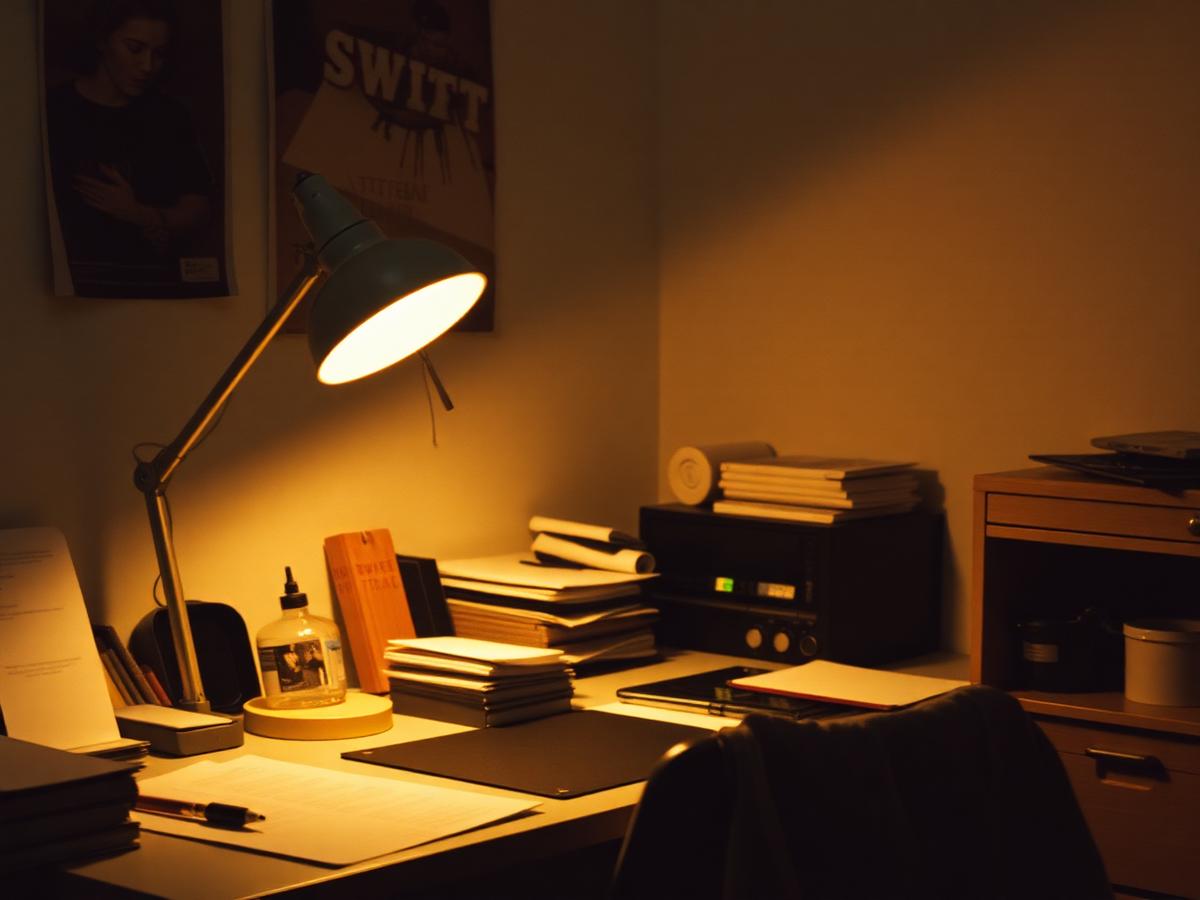
The modern working environment, particularly for those in desk-bound roles, often presents a unique set of challenges to ocular health. Extended periods spent in front of digital displays, coupled with indoor lighting that may not be designed for sustained focus, can lead to symptoms collectively known as computer vision syndrome or digital eye strain. This can manifest as discomfort, blurred vision, dry eyes, and headaches, impacting both comfort and productivity.
While several factors contribute to eye strain, such as screen glare and insufficient blinking, ambient and task lighting frequently play a significant, yet overlooked, role. Understanding the distinctions between different types of light, their colour temperatures, and their impact on visual comfort can be instrumental in creating a workstation that supports long-term eye health rather than undermining it. This examination aims to clarify which lighting strategies are genuinely beneficial and which often fall short of their claims.
Understanding the Fundamentals of Desk Lighting
Effective desk lighting balances ambient light with targeted task lighting, avoiding extremes of brightness or dimness. The goal is to minimise glare, eliminate flicker, and ensure adequate illumination for reading and screen work without creating harsh contrasts. The directionality of light also matters significantly; light sources should generally illuminate the work surface without shining directly into the eyes.
- Ambient light: This refers to the general illumination of the room. It should ideally be soft and uniform, preventing stark shadows or bright spots.
- Task light: A dedicated light source, such as a desk lamp, used to illuminate the immediate workspace. This can be adjusted to supplement ambient light and target specific areas.
- Colour temperature: Measured in Kelvin (K), this describes the 'warmth' or 'coolness' of light. Lower Kelvin values (e.g., 2700K-3000K) produce warmer, more yellowish light, while higher values (e.g., 5000K-6500K) are cooler, appearing whiter or bluer.
- Luminance and contrast: The brightness of light and the difference in brightness between objects or areas. Extreme contrasts, such as a bright screen in a very dark room, can hasten eye fatigue.
Prolonged exposure to environments with poor lighting can reduce visual comfort, increase the effort required for visual tasks, and potentially impact overall wellbeing.
What Works: Evidence-Backed Solutions
A meta-analysis published in the journal Ergonomics highlighted that interventions addressing lighting, alongside screen glare and workstation setup, demonstrated a statistically significant impact on reducing self-reported eye strain symptoms. [^1] Tailoring your lighting setup involves a few key considerations:
- 1Adjustable task lamps: Opt for lamps that allow you to modify both the intensity and direction of light. Models with dimmable LEDs and articulated arms are highly effective. A colour temperature around 4000K-5000K is often recommended for desk work, offering a neutral white light that aids concentration without being overly harsh.
- 2Indirect ambient lighting: Where possible, use fixtures that direct light towards the ceiling or walls to create a softer, more diffused ambient illumination. If overhead fluorescent lights are unavoidable, consider defusers or moving your desk to minimise direct exposure.
- 3Monitor backlighting: Adding a bias light behind your monitor can significantly reduce the contrast between the screen and its surroundings, mitigating eye strain, especially in lower ambient light. These lights typically emit a soft white light, often around 6500K, which is perceived as neutral against the screen. We have found the Philips Hue Play Light Bar, while an investment, offers excellent customisation and integration capabilities. (This is an affiliate link.)
- 4Natural light integration: Position your desk to take advantage of natural light, ideally perpendicular to a window to avoid direct glare on your screen or in your eyes. Use blinds or curtains to manage excessive brightness or direct sunlight throughout the day.
What Often Does Not Work (or Is Overstated)
While many products are marketed to alleviate eye strain, their efficacy can vary. Not all solutions are equally beneficial, and some common practices may offer minimal relief.
- Over-reliance on blue light filters: While excessive blue light exposure, particularly at night, can disrupt circadian rhythms, the evidence for blue light filters significantly reducing digital eye strain during the day is less conclusive for most desk workers. Research indicates that adjusting screen brightness and taking regular breaks are often more critical factors. A review in Ophthalmic & Physiological Optics found insufficient evidence to support a benefit of blue-light-filtering spectacle lenses for reducing eye fatigue associated with digital device use. [^2]
- Fixed overhead downlights: While providing general illumination, these can create hot spots and shadows on your work surface and screen, increasing glare and requiring the eyes to constantly adapt to varying light levels. They are rarely sufficient as the sole light source for a desk.
- Extremely low light environments for screen work: Working in a very dark room with only the screen as a light source creates significant luminance contrast, forcing your eyes to work harder to adjust. While atmospheric, it is not conducive to prolonged visual tasks.
- Inconsistent colour temperatures: Using multiple light sources with vastly different colour temperatures in close proximity can create visual discomfort and make it harder for your eyes to focus consistently. Aim for a harmonious blend.
Practical Steps for an Optimised Setup
Begin by assessing your current workspace. Identify sources of glare from windows or overhead lights. Consider a task lamp with adjustable brightness and colour temperature. Position it to illuminate your documents and keyboard without reflecting off your screen or shining directly into your eyes. Experiment with monitor backlighting. Remember that small, consistent adjustments can yield notable improvements in visual comfort over time. Prioritise a balanced and flexible lighting scheme over single, rigid solutions.
Sources
- Effectiveness of ergonomic interventions in alleviating symptoms of musculoskeletal disorders and computer vision syndrome in computer users: A systematic review and meta-analysis (opens in a new tab) — A meta-analysis examining the impact of ergonomic interventions on computer users.
- Blue-light-filtering spectacle lenses for visual performance, sleep, and macular health in adults: A systematic review (opens in a new tab) — A systematic review on the efficacy of blue-light-filtering lenses.
General information about work and health, not medical advice. See our medical disclaimer.